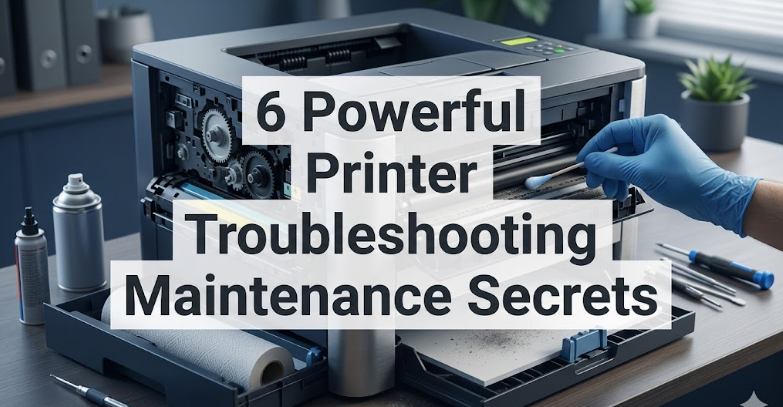
6 Powerful Printer Troubleshooting Maintenance Secrets
Printers are strange companions. They sit quietly for days, sometimes weeks, doing absolutely nothing, and then the moment you need them most, they decide to act up. A blinking light here, a paper jam there, faded ink lines, strange noises—these small frustrations can quickly turn into major headaches. Yet, the truth is that most printer problems don’t appear out of nowhere. They build up slowly, often due to overlooked maintenance habits or small issues that go unchecked.
This article isn’t just a list of generic tips. It’s a deep dive into six powerful maintenance secrets that can dramatically improve your printer’s performance, extend its life, and reduce the chances of sudden breakdowns. These aren’t complicated, technician-level tricks. Instead, they’re practical, thoughtful practices—things you can integrate into your routine without needing special tools or expertise.
Think of this as a conversation with someone who has learned the hard way—through jammed rollers, wasted cartridges, and urgent last-minute print failures.
secret 1: consistency beats intensity
One of the most common mistakes people make is only paying attention to their printer when something goes wrong. They wait until there’s a problem, then try to fix everything at once. This reactive approach often leads to frustration and incomplete solutions.
A better approach is consistency. Small, regular maintenance actions can prevent most issues before they even begin.
For example, printing at least one or two pages every week helps keep ink flowing smoothly. Inkjet printers, in particular, suffer when left idle for long periods. The ink can dry inside the nozzles, leading to clogged printheads and uneven output. Laser printers aren’t immune either—toner can settle unevenly if not used regularly.
Consistency also applies to cleaning. Instead of waiting for visible dust buildup, make it a habit to gently wipe down the exterior and accessible interior areas every couple of weeks. You don’t need to dismantle the machine—just keeping surfaces clean goes a long way.
There’s something almost counterintuitive about this: doing less, more often, is more effective than doing a lot once in a while. It’s like watering a plant. You don’t flood it once a month—you give it small amounts regularly.
secret 2: understand your printer’s language
Printers communicate, but not always clearly. Error codes, blinking lights, and vague messages like “paper error” can feel frustratingly cryptic. However, learning to interpret these signals is a powerful maintenance skill.
Take the time to notice patterns. Does the printer make a clicking sound before a jam? Does it always misfeed when the tray is full? Does the print quality degrade after a certain number of pages?
These patterns are clues. They tell you where the problem is developing.
Many users ignore early warning signs. A slightly skewed printout today might become a full paper jam tomorrow. A faint line across the page could indicate a developing printhead clog.
Instead of dismissing these signs, treat them as early alerts. Addressing them early is often quick and simple. Ignoring them usually leads to more complicated fixes later.
Even something as simple as noting how your printer behaves when it’s working perfectly can help. That baseline makes it easier to spot when something is off.
secret 3: the hidden role of paper quality
Paper seems like the least important part of printing. It’s just paper, right? But in reality, it plays a huge role in both print quality and printer health.
Low-quality paper sheds tiny fibers. These fibers accumulate inside the printer, especially around rollers and feed mechanisms. Over time, they can cause misfeeds, jams, and even internal wear.
Humidity also affects paper more than most people realize. In damp environments, paper can absorb moisture, making it slightly thicker or uneven. This can confuse the printer’s feeding system, leading to frequent jams or skewed prints.
On the other hand, extremely dry conditions can cause static buildup, making sheets stick together and feed incorrectly.
A simple but powerful habit is to store paper properly. Keep it in its original packaging until use. Store it in a cool, dry place. Avoid placing it near windows or areas with high humidity.
Also, don’t overload the paper tray. It might seem efficient to fill it to the maximum, but doing so can strain the feed mechanism and increase the chances of misfeeds.
Choosing decent-quality paper doesn’t mean buying the most expensive option. It just means avoiding the cheapest, roughest stock that can cause more harm than savings.
secret 4: cleaning is not just about appearance
When people think of cleaning their printer, they often focus on the exterior—wiping dust off the surface so it looks neat. While that’s helpful, the real benefits come from internal cleaning.
Dust, ink residue, and paper particles gradually build up inside the printer. These contaminants can interfere with sensors, rollers, and printheads.
One of the most overlooked areas is the paper rollers. These are responsible for pulling paper into the printer. Over time, they can become coated with dust and lose their grip, leading to frequent misfeeds.
Gently cleaning rollers with a slightly damp, lint-free cloth can restore their effectiveness. It’s a small action with a noticeable impact.
Printheads, especially in inkjet printers, also require attention. Running the built-in cleaning cycle occasionally can help prevent clogs. However, it’s important not to overuse this feature, as it consumes ink.
Another subtle but important cleaning habit is removing stray bits of paper after a jam. Even a tiny fragment left behind can cause repeated issues.
Cleaning, in this sense, is not about aesthetics—it’s about maintaining function.
secret 5: respect the cartridge lifecycle
Cartridges are often treated as disposable items—use them until they run out, replace them, and move on. But there’s more nuance to it.
Using a cartridge past its optimal point can lead to poor print quality and even damage. For example, a nearly empty ink cartridge can introduce air into the printhead system, leading to clogs.
Similarly, shaking a toner cartridge to “get more prints” might work temporarily, but it can also lead to uneven distribution and inconsistent output.
Another important factor is proper installation. A poorly seated cartridge can cause leaks, misalignment, or error messages.
It’s also worth noting that not all cartridges are created equal. While third-party options can be cost-effective, they sometimes vary in quality. If you notice recurring issues after switching cartridges, it might be worth reconsidering your choice.
Storage matters too. If you keep spare cartridges, store them in a cool, dry place, and avoid exposing them to extreme temperatures.
Respecting the cartridge lifecycle isn’t about spending more money—it’s about avoiding unnecessary problems.
secret 6: environment matters more than you think
Printers are sensitive devices. They might look sturdy, but their internal components can be affected by environmental conditions.
Temperature fluctuations, humidity, dust, and even placement can influence performance.
For instance, placing a printer near a window might expose it to direct sunlight, which can heat up internal components and affect ink or toner behavior. Similarly, placing it in a dusty area can accelerate internal buildup.
Vibration is another overlooked factor. A printer placed on an unstable surface might experience alignment issues over time.
Even airflow matters. A cramped, poorly ventilated space can cause overheating, especially during long print jobs.
Creating a stable, clean, and well-ventilated environment doesn’t require much effort. It’s about being mindful of where and how the printer is placed.
In many cases, improving the environment can resolve issues that seem mechanical or technical.

bringing it all together
These six secrets aren’t isolated tips—they’re interconnected practices. Consistency supports cleanliness. Understanding your printer’s behavior helps you respond to environmental changes. Good paper quality reduces the need for frequent cleaning.
What makes these secrets powerful is their simplicity. They don’t require advanced skills or expensive tools. They rely on awareness, observation, and small, thoughtful actions.
Over time, these habits create a kind of harmony between you and your printer. Problems become less frequent. When they do occur, they’re easier to diagnose and fix.
And perhaps most importantly, you avoid those stressful moments when you urgently need a document printed, only to be met with an uncooperative machine.
frequently asked questions
- how often should I perform basic printer maintenance?
Basic maintenance, like cleaning the exterior and checking for dust buildup, should be done every two to four weeks. Internal cleaning and deeper checks can be done every couple of months, depending on how frequently you use the printer.
- is it bad to leave a printer unused for long periods?
Yes, especially for inkjet printers. Infrequent use can lead to dried ink and clogged printheads. Printing a test page once a week can help keep the system in good condition.
- can using cheap paper really damage my printer?
While it may not cause immediate damage, low-quality paper can shed fibers and increase internal dust buildup. Over time, this can lead to jams and reduced performance.
- should I always use original cartridges from the manufacturer?
Not necessarily. Many third-party cartridges work well, but quality can vary. If you experience recurring issues, it might be worth switching to a more reliable option.
- what’s the safest way to clean printer rollers?
Turn off and unplug the printer, then use a lint-free cloth slightly dampened with water. Gently wipe the rollers and allow them to dry before using the printer again.
- why does my printer keep jamming even after I remove the paper?
There may be small fragments of paper left inside, or the rollers might be dirty or worn. Carefully inspect the interior and clean the rollers if needed.
In the end, printer maintenance isn’t about reacting to problems—it’s about preventing them. These small, consistent efforts can transform your experience, turning a frustrating device into a reliable tool you can count on.